Master Your Next Celebration with the Notion Template Party Planner
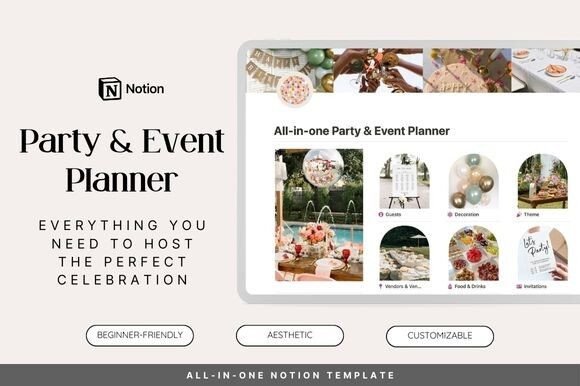
Imagine a world where organizing a milestone birthday, a corporate gala, or a cozy family reunion doesn't involve scattered sticky notes, endless email threads, and that nagging feeling you've forgotten something crucial. That world exists, and it's built on the powerful, flexible foundation of Notion. The Notion Template Party & Event Planner is more than just a digital checklist; it's your central command center for orchestrating seamless, memorable events with precision and a touch of creative flair. It transforms the chaotic juggle of timelines, budgets, and vendor communications into a visually intuitive and manageable workflow.
A Digital Canvas for Every Event Detail
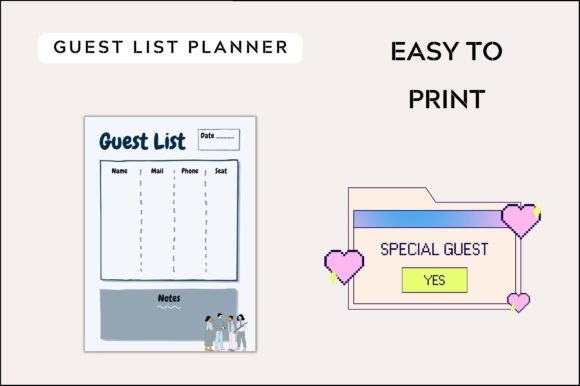
What sets this planner apart is its holistic approach. It doesn't just give you a to-do list; it provides interconnected databases that mirror the real-world flow of event planning. Start with the Guestlist 📋 section, where you can track invites, RSVPs, dietary restrictions, and plus-ones in one clean view. Link this directly to your Food & Drinks 🍽️ database to ensure your catering orders align perfectly with attendee needs. The visual nature of Notion allows you to switch between a calendar view for your Schedule, a gallery for your Decorations 🌸 mood board, and a kanban board to track Vendors & Suppliers 🛍️ contract stages—giving you the right perspective at the right time.
From Thematic Vision to Cohesive Execution
A successful event tells a story, and the Theme 🎨 section is where you define that narrative. Here, you can collect inspiration images, define color palettes with hex codes, list key motifs, and outline the desired atmosphere. This isn't just about picking colors; it's about creating a brand identity for your event. The template encourages you to think like a brand strategist, ensuring every element—from the invitation font (a great place to use a premium display font) to the table centerpieces—communicates a consistent visual language. This meticulous planning prevents the common pitfall of a disjointed aesthetic, where the decorations clash with the activities or the favors feel like an afterthought.
Budgeting, Logistics, and Peace of Mind
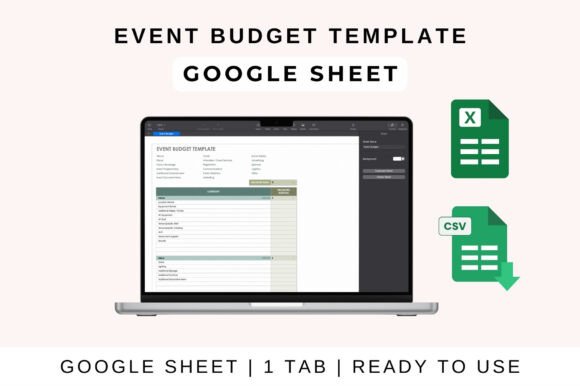
Creativity thrives within structure, and that’s where the logistical backbone of the template shines. The integrated budget tracker is a game-changer, allowing you to allocate funds across categories like Venues 🏛️, entertainment, and Gifts 🎁. You can log deposits, final payments, and due dates, preventing any last-minute financial surprises. For a small business owner planning a product launch or a content creator hosting a workshop, this feature alone is invaluable. It provides the professional presentation and control needed to manage an event as a serious project, not just a party. The Activities & Games 🎲 section, meanwhile, lets you plan the guest experience in detail, ensuring there's never a dull moment and that the entertainment aligns with your chosen theme.
Practical Applications for Creatives and Professionals
The utility of this digital planning asset extends far beyond personal celebrations. Consider these real-world scenarios:
- Wedding Planners & Event Coordinators: Use it as a client-facing portal. Share specific databases (like the guest list or vendor timeline) with clients for transparent collaboration, showcasing your organizational expertise.
- Small Business Owners: Plan annual sales, pop-up shops, or networking events. Track promotional material deadlines, sponsor communications, and attendee registration all in one place, reinforcing your brand's professional image.
- Content Creators & Influencers: Organize meet-and-greets, live stream events, or collaborative projects. Manage sponsor deliverables, guest lists, and promotional schedules efficiently, ensuring a polished outcome that enhances your audience engagement.
- Community Leaders & Hobbyists: Coordinate club meetings, fundraisers, or hobbyist conventions. The template scales to fit events of any size, providing the structural integrity needed for smooth operations.
Tips for Maximizing Your Planner
To get the most out of your Notion Template Party & Event Planner, consider these practical tips:
- Start with the End in Mind: Before diving into tasks, fully flesh out your Theme and vision. This will guide every subsequent decision, from venue selection to decoration sourcing.
- Leverage Relations and Rollups: The true power of this template is in its linked databases. Connect your vendor entries to your budget, your guest list to your seating chart, and your activity schedule to your day-of timeline. This creates a dynamic, living document.
- Customize Relentlessly: Don't be afraid to add new properties, views, or even entire sections. If you need a dedicated space for tracking social media promotion or a gallery for packaging design of party favors, build it out. Make the template your own.
- Use it as a Portfolio Piece: For designers and planners, a beautifully maintained event planner in Notion can serve as a stunning case study in your portfolio, demonstrating your ability to manage complex projects with visual clarity and efficiency.
Ultimately, the Notion Template Party & Event Planner is about reclaiming the joy in the planning process. It replaces overwhelm with order, uncertainty with confidence, and fragmentation with a unified, beautiful system. By centralizing every detail—from the grand vision to the minute logistics—it empowers you to host not just an event, but an experience that feels intentionally crafted and effortlessly executed. It's the essential creative tool for anyone who believes that how you plan is just as important as the party itself.