Watercolor Strokes for Procreate: Organic Digital Artistry
There is a specific kind of frustration that digital artists and designers know well: you spend hours on a project, the layout is perfect, the colors are harmonious, but the final result feels sterile. It lacks the warmth, the imperfection, and the "soul" of traditional media. This is the challenge I faced frequently until I started integrating specialized tools that bridge the gap between digital precision and analog texture. If you are working on the iPad, finding assets that don't look obviously "digital" is gold, especially when you are trying to create branding materials or social media graphics that feel authentic and approachable.
Capturing the Essence of Traditional Media
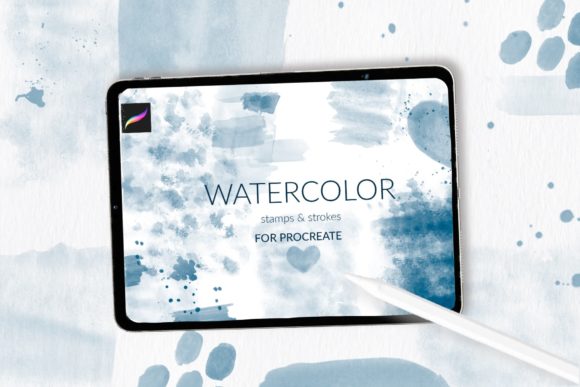
The appeal of watercolor has never waned, but traditionally, using it in professional design work has been messy and unpredictable. You have to scan, clean up, and vectorize. However, with the evolution of Procreate, we can now replicate that organic flow with much more control. The Watercolor Strokes for Procreate pack is a testament to this evolution. It isn't just a filter; it is a comprehensive toolkit designed to mimic the behavior of pigment on paper. What makes this collection visually distinct is the attention to the "happy accidents" of watercolor—the way the pigment settles in the paper grain, the variation in opacity, and the distinct edges of a wet stroke.
This particular set includes 31 stamp brushes with varying strokes and textures. Why does that matter? Because in nature, no two brushstrokes are identical. Having 31 distinct variations allows you to create backgrounds and shapes that never look like a repeating pattern. Whether you are creating a soft, atmospheric background for a wedding invitation or a bold, textured splash for a poster, the variety ensures your work remains unique. Additionally, the inclusion of 3 watercolor splash stamp brushes adds a dynamic element. These aren't just static shapes; they look like wet paint hitting the surface, complete with the fine spatter you’d expect from a loaded brush.
From Greeting Cards to Brand Identities
One of the biggest hurdles in modern design is maintaining a "human" element in a digital-first world. This is where the versatility of these assets shines. I recently worked on a rebrand for a boutique skincare company that wanted to emphasize natural ingredients. We needed a visual language that felt earthy and handmade. Using the Watercolor Strokes for Procreate, we were able to create logo accents and packaging elements that felt like they were painted by hand, yet clean enough for commercial printing.
Consider the breadth of projects where this aesthetic is invaluable:
- Brand Identity: Use a textured stroke as a background element on a business card or letterhead to break up the rigidity of standard corporate design.
- Packaging Design: For artisanal goods—coffees, teas, baked goods—watercolor textures suggest authenticity and care.
- Wedding Stationery: The soft cotton paper pattern brush included in this pack is specifically designed for this. It creates an instant background that mimics high-quality stationery paper, perfect for invitations and save-the-dates.
- Social Media: In a feed dominated by flat graphics and photos, a watercolor quote card or background can stop the scroll. It adds a layer of artistic sophistication to Instagram posts or Pinterest pins.
The utility extends beyond just backgrounds. These are excellent for creating decorative shapes. Instead of a standard circle or rectangle, imagine a watercolor blob framing a product photo or a piece of text. It immediately draws the eye and softens the overall composition. For sublimation designers, this texture is essential for creating all-over prints for mugs, t-shirts, and pillows that have that vintage, distressed look which is currently very popular in the market.
The Technical "Paper" and Texture
A watercolor painting is only as good as the paper it's painted on. Digital watercolor often fails because it looks like a flat color overlay. This pack addresses that with the inclusion of a watercolor cotton paper pattern brush for background creation. This is a subtle but critical detail. When you use this brush for your background, you are layering your strokes over a texture that mimics the tooth and weave of cotton rag paper. This interaction between the "paint" and the "paper" creates a depth that standard digital brushes lack.
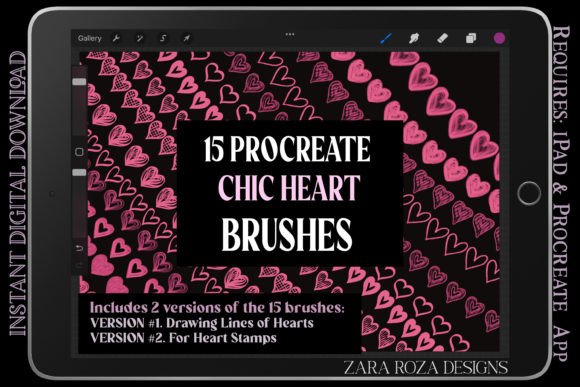
For iPad Procreate users, the workflow is seamless. You receive a brush file containing over 34 brushes. It is important to note that for this to function as a "brushset" (the easiest way to install), you need a newer version of Procreate. However, if you are using an older iPad or Procreate version 4.0 or earlier, the creator offers individual .brush files. This level of support is rare and valuable for designers who haven't updated their hardware but still need professional-grade tools.
Workflow and Installation Tips
While Procreate is intuitive, installing new assets can sometimes be a stumbling block. If you are working with the newer .brushset file, it is usually as simple as downloading and tapping the file. However, if you need to install the individual files due to an older operating system, here is the most efficient method to ensure your brushes end up in the right library:
- Download the folder containing the .brush files to your iPad.
- Navigate to that folder in your Files app.
- Tap and hold on the .brush file you wish to install.
- Select "Share" from the context menu.
- If "Open in Procreate" isn't immediately visible, tap "More" or "Edit Actions."
- Scroll through the list to find Procreate and enable it.
- Tap the icon, and the brush will automatically import into your current brush set.
A practical tip for organization: When you import these, create a specific "Texture" or "Watercolor" folder within Procreate. When you are in the middle of a creative flow, you don't want to be hunting through hundreds of brushes to find that specific cotton paper texture or the wet splash stamp. Keeping your assets organized ensures that the creative process remains uninterrupted.
Elevating Your Creative Output
Ultimately, the goal of any design asset is to solve a problem or enhance a vision. The Watercolor Strokes for Procreate set solves the problem of "digital sterility." It allows entrepreneurs to create marketing assets that feel bespoke without the cost of hiring a traditional painter for every campaign. It allows graphic designers to offer a wider range of styles to their clients, specifically catering to the booming market for organic, natural, and vintage aesthetics.
Whether you are a hobbyist looking to improve your digital journaling, a blogger needing distinctive headers, or a professional designer working on commercial packaging, these tools provide the texture and variation needed to produce high-quality, engaging work. They bridge the gap between the convenience of the iPad and the beauty of traditional art supplies, giving you the best of both worlds in your creative toolkit.